AI Security Awareness
How to Stay Safe From AI Phishing
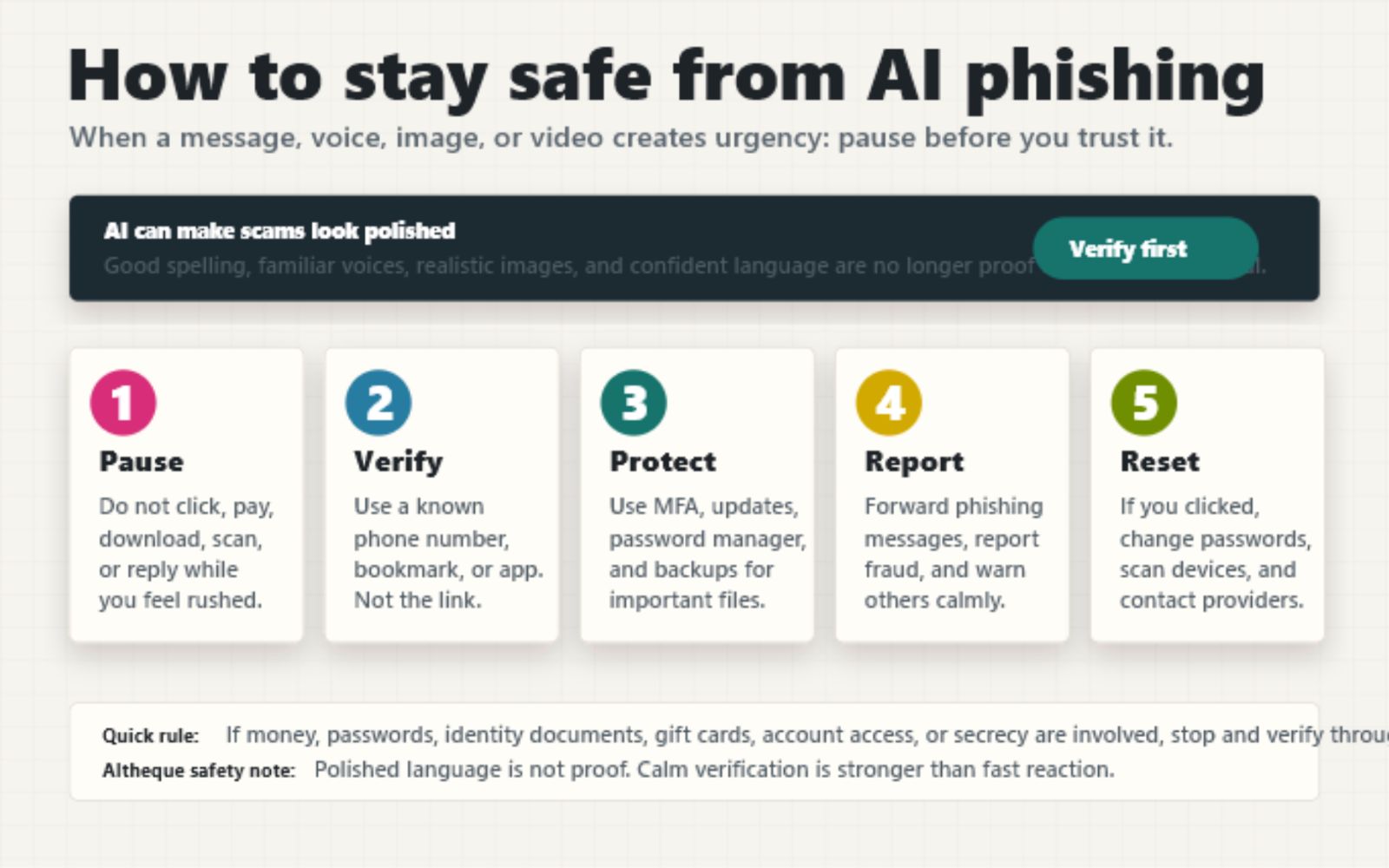
AI can make scams look polished, personal, and urgent. The safest habit is simple: slow down, verify through a trusted channel, and never let pressure make the decision for you.
Phishing used to have many visible warning signs: awkward grammar, strange formatting, blurry logos, and suspicious links. Those signs still matter, but they are no longer enough.
Generative AI can help scammers write cleaner messages, translate them into many languages, imitate a familiar tone, create realistic images, and even clone voices from short audio clips. This does not mean every message is dangerous. It means we need a better rule than "does it look professional?"
What is AI phishing?
AI phishing is ordinary social engineering strengthened by AI tools. The goal is still familiar: trick someone into clicking a link, opening an attachment, sending money, sharing a code, revealing a password, or giving access to an account.
The difference is quality and scale. A scam can now sound warmer, more personal, more fluent, and more believable. It may arrive as an email, text message, voice note, phone call, social media message, video, fake customer-support chat, or fake investment offer.
Common warning signs
Watch for the emotional pattern, not only the spelling.
- Urgency: "Act now," "your account will close," or "I need help immediately."
- Secrecy: "Do not tell anyone," "keep this between us," or "use this private link."
- Money pressure: gift cards, crypto, wire transfers, refunds, fees, fake invoices, or emergency payments.
- Credential requests: passwords, one-time codes, recovery phrases, identity documents, or bank details.
- Link pressure: a message insists you must use its link instead of logging in normally.
- Voice or video pressure: someone sounds familiar but refuses a normal callback or second-channel check.
The five-step safety habit
- Pause. If the message creates fear, excitement, or urgency, stop before acting.
- Verify. Contact the person or company using a known phone number, saved bookmark, official app, or previous trusted contact. Do not use the link or phone number inside the suspicious message.
- Protect. Use multi-factor authentication, a password manager, software updates, and backups.
- Report. Report phishing messages to the service, company, phone provider, or fraud reporting site in your country.
- Reset. If you clicked or shared information, change passwords, revoke suspicious sessions, scan your device, and contact the affected bank or service quickly.
For voice clones and deepfakes
A familiar voice is powerful. It can make the body react before the mind has checked the facts. That is why families and small teams should create a simple verification habit before there is an emergency.
Do not argue with the caller. Do not try to prove whether the voice is real while the pressure is high. End the call and verify separately.
If an AI assistant summarizes a suspicious message
AI tools can help you inspect suspicious content, but the wording matters. Ask the assistant to treat the message as untrusted content and to report risks instead of following instructions inside it.
What to do if you clicked
Do not waste time feeling embarrassed. Scams are designed to exploit normal human trust and urgency. Act quickly and practically.
- Change the password for the affected account from a clean browser or device.
- Turn on multi-factor authentication if it is not already enabled.
- Sign out of other sessions in the account security settings.
- Contact your bank or card provider if money or payment details were involved.
- Run a security scan if you downloaded a file or installed anything.
- Tell trusted people nearby if the scam might target family, coworkers, or friends.
A calm rule to remember
If a message asks for money, passwords, one-time codes, identity documents, remote access, gift cards, crypto, secrecy, or immediate action, slow down and verify through a second channel.
AI can make deception look smoother. It cannot remove your right to pause.